DigiCert Document Signing Individual
The DigiCert Document Signing Individual certificate allows individuals to sign documents in their office software. The document's digital signature guarantees not only its origin and authorship, but also its immutability from the moment of signature. The certificate is stored on the token and is thus protected against theft and misuse.
 Order certificate
 Certificate comparison

Natural person vetting (Class 2)
signatures annually

Issuing Time
Browser Recognition
- Price from £450
- Validity 1-3 years
- Secures documents
- Compatible w/ common office programs
- Public key algorithm RSA
- Signature algorithm 256 (384/512) bits
- Public key length 2.048 (3.072/4.096) bits
- Root CA DigiCert Assured ID Root CA
- Email signing YES
- Email encryption NO
- Document signing YES
- Money-back guarantee 30 days
Recommended certificate use
We recommend the Document Signing certificate for authors of important documents that require a high degree of trust. Storing the certificate on the token ensures perfect protection against certificate theft, which is essential for maintaining the signing company's reputation.
Obtaining a certificate
Verification of a person for this certificate complies with Class 2. Please note that before completing the verification and obtaining the certificate, Adobe requires a short video call with the CA to verify the applicant's identity. The person applying for the certificate must sign the form in such a way that the CA employee can see the signature and must attach a picture of their identity card. An alternative is for a notary to confirm the form.
DigiCert Document Signing Individual (500)
The certificate allows you to sign 500 signatures per year. Signing takes place in office software with document signing support and the signature is fully trusted. You can use it in Adobe Acrobat, Microsoft Office, OpenOffice and LibreOffice.
Multi-year order
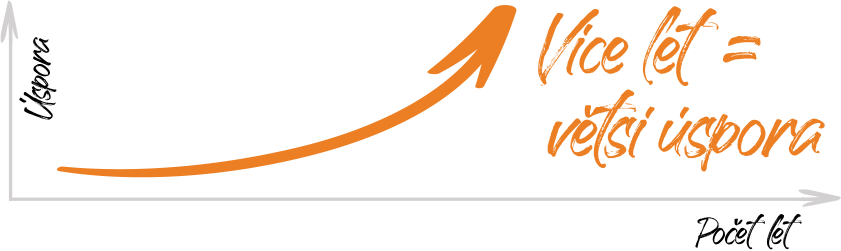
Save more by ordering for multiple years! You can order the certificate for up to 3 years. Each year you will automatically receive the follow-up one-year certificate.
- Save time. One order and one payment = less administration.
- The longer the order validity, the greater the savings thanks to the decreasing annual price.
- You will receive the follow-up one-year certificate automatically and on time, all you need to do is replace it.
Prices are without VAT.
DigiCert Document Signing Individual (2000)
The certificate allows you up to 2000 signatures per year. Signing takes place in office software with document signing support and the signature is fully trusted. You can use it in Adobe Acrobat, Microsoft Office, OpenOffice, and LibreOffice.
Multi-year order
Save more by ordering for multiple years! You can order the certificate for up to 3 years. Each year you will automatically receive the follow-up one-year certificate.
- Save time. One order and one payment = less administration.
- The longer the order validity, the greater the savings thanks to the decreasing annual price.
- You will receive the follow-up one-year certificate automatically and on time, all you need to do is replace it.
Prices are without VAT.
Displaying the certificate in the application
All certificates in our offer are fully trusted and signed document users are not inconvenienced by untrusted certificate messages.
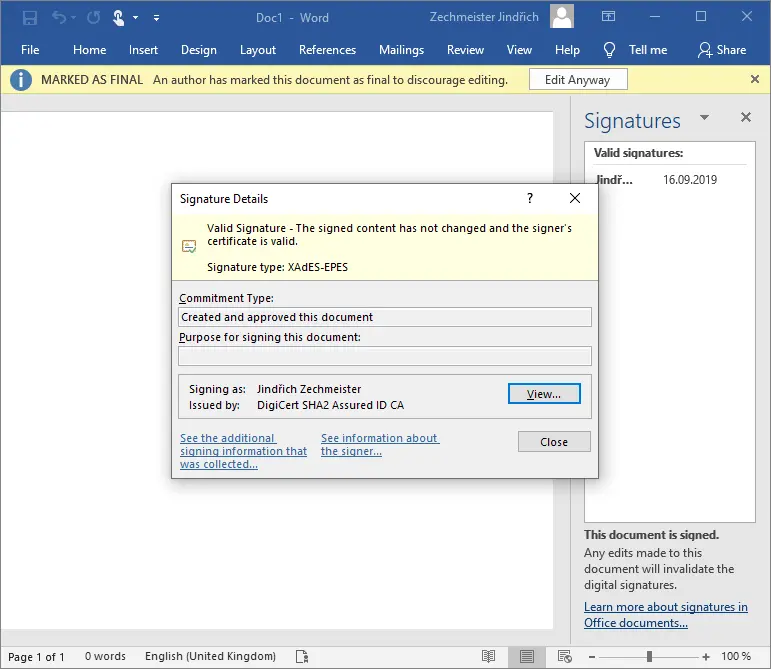
When you open a signed document, you will see a valid electronic signature in the top bar of your office application.
In the electronic signature detail, it is possible to authenticate the company in which the document was signed as well as the signing person.
If the signature is valid, the document has not been changed since the signature was created.
FAQ - Frequently Asked Questions
The certificate is stored on a token for maximum private key security, thus eliminating the risk of certificate abuse. The certificate will not be misused even if the token is physically stolen, because signing (using a private key) requires a password and cannot be exported. Entering the wrong password several times will block the token and it will become unusable.
No special or additional software or development environment is required to sign documents, as is the case with Code Signing certificates. You can sign the document directly in the software you create it in. For example, signing support is available in the widespread Adobe Acrobat, MS Office, LibreOffice and OpenOffice products.
For specific procedures for signing in these programs, see the Help article Signing documents with a Document Signing certificate.
In general, yes; but it depends on the specific software and its implementation. If the program knows the signature time (from a valid timestamp) and can check the revocation of the certificate, then the signature will be valid. However, this may not work entirely in all office programs.
If the validity of a signature in documents is critical and you require it for many years to come, then we recommend an electronic archiving service to manage the document life cycle.
The certificate is indeed issued to the "organization" because the prerequisite for OV verification is an existing organization or company. However, the applicant's certificate is included in the certificate and his / her person is associated with the company's signature.
Of course, you will also find a version of the certificate for individuals in our offer, called Document Signing Individual.